

Laser Scanning

3D Scanning

What are the benefits of laser scanning?
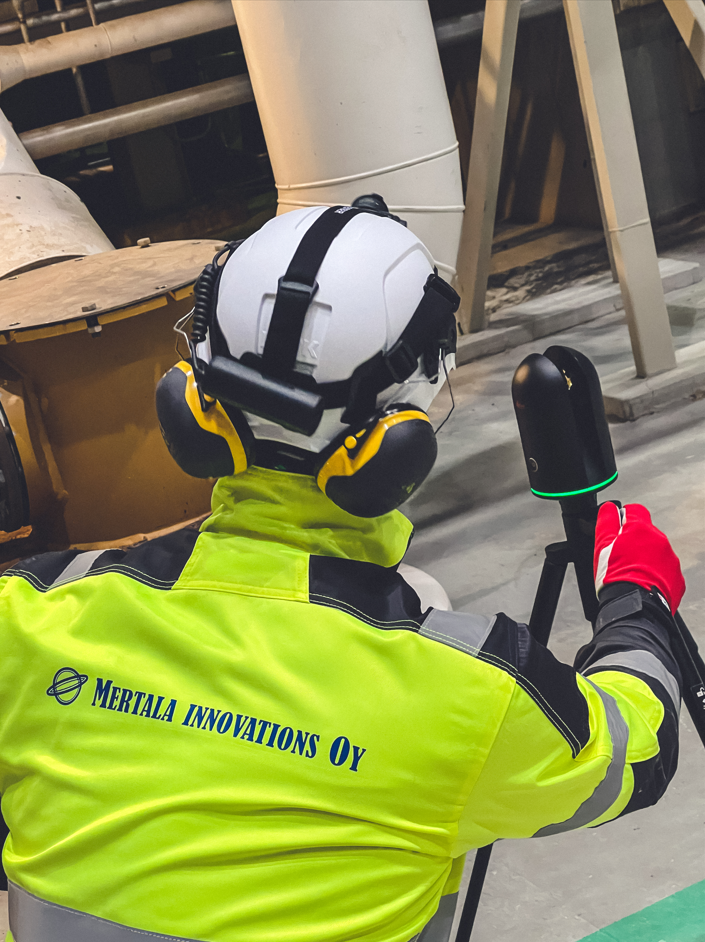
Laser scanning enables fast and accurate 3D modeling of spaces. The resulting model provides a reliable foundation for planning modifications, expansions, and new investments.
For example, in a factory environment, laser scanning makes it possible to:
- design piping routes without on‑site measurements
- confirm that new machines or an entire production line will fit in the available space
- simulate layout changes before implementation
A laser‑scanning model is basically a virtual copy of the space, enabling you to:
- take accurate measurements without visiting the site
- plan technical modifications and expansions
- integrate other 3D models into the same dataset
- use geotags for annotations and documentation
- orient and train personnel remotely
- support maintenance work and reduce unnecessary site visits
- verify hauling and installation routes in advance
What is a point cloud?
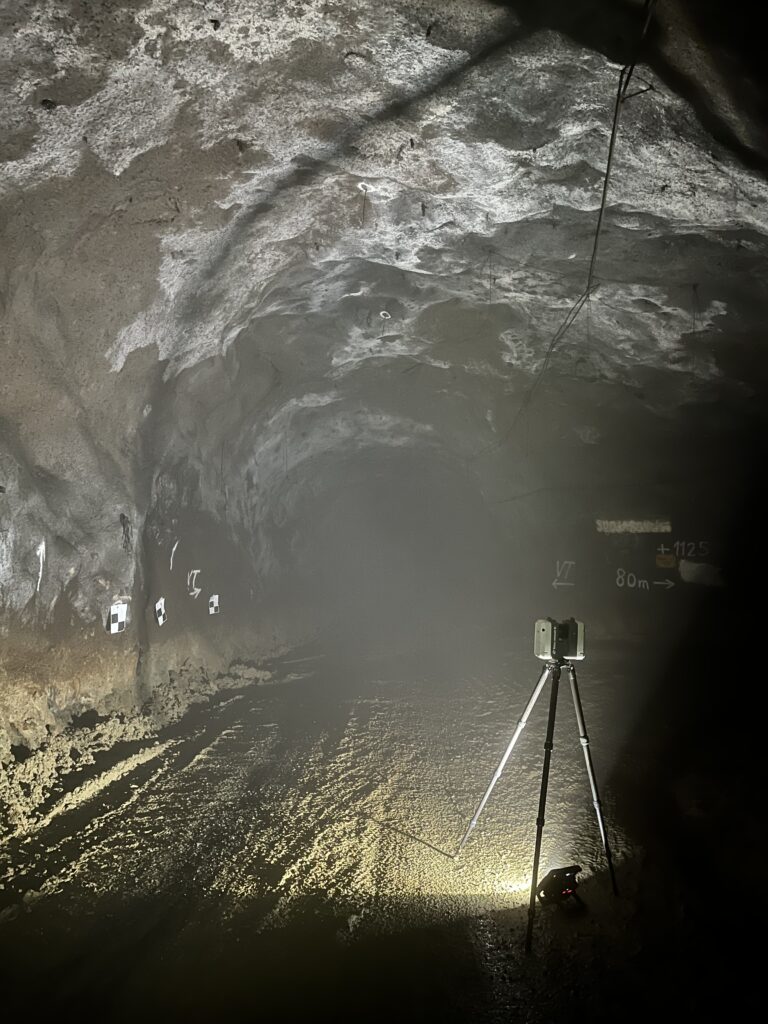
The result of laser scanning is a point cloud model – a three‑dimensional representation made up of millions or even billions of points. The point‑cloud model can be easily opened and processed with various viewing software or imported into traditional CAD design tools. At its best, the accuracy of a point‑cloud model is approximately ±1.0 mm.
Data management locally or in the cloud
Point‑cloud files are often extremely large—sometimes tens of gigabytes. When the data needs to be accessed by multiple users or stakeholders, the most efficient way to manage it is to use a centralized data‑management solution, either locally or in the cloud cloud service. This way, large files do not need to be transferred separately—everyone can access them centrally.
For Example Hexagon Reality Cloud enables point‑cloud data to be stored on the service provider’s servers. The model can be accessed easily through a web browser without software installations or heavy downloads—simply share a link
As an alternative to cloud services, lighter solutions can also be used, such as storing the data on a local server or sharing it through compact, optimized point‑cloud packages. As an alternative to cloud services, lighter solutions can also be used, such as the free Leica TruView Desktop application. With it, the point‑cloud model can be viewed and processed locally without an internet connection or server costs.
👉 Watch the demo video of Leica Truview Desktop.
Pricing of Laser Scanning
The cost of laser scanning is determined primarily by the characteristics of the site size and complexity In a factory environment, it is typically possible to scan a few thousand square meters per day, depending on the amount of equipment in the space and its level of occupancy.
The price for one day of scanning and post‑processing starts from 2500 € + VAT.
As a result, the customer receives an accurate and clean point‑cloud model in the file format of their choice. The model can be opened with free viewer applications, and if needed, it can be aligned directly to a coordinate system defined by the customer.
As Built -modeling
One of the most common ways to utilize laser scanning is to use the point cloud for layout planning. However, a raw point cloud consists of millions of points and cannot be easily handled in design software as‑is.
The solution is As Built -modeling: creating a CAD model from the point cloud, where structures and equipment are represented as clear solid- features. This results in an accurate and easily usable model that works seamlessly with common design applications. Additional 3D models can also be integrated effortlessly to complete the overall digital environment.
As a practical example, we created As‑Built models of the power electronics and nuclear engineering laboratories at Lappeenranta University of Technology based on laser‑scanned data. This provided a precise dataset for both space planning and presentation purposes.
Read more about the customer story Case LUT Yliopisto – Laboratorion 3D-layout.
This allows us to deliver exactly the right type of modeling—cost‑effectively and with the level of accuracy your project requires. An As‑Built model can also be further developed into a so‑called intelligent plant model, enriched with attributes such as equipment IDs, maintenance information, dimensioned drawings, document links, and more. We deliver As‑Built models in accordance with the PSK 3402 and PSK 3403 standards

Basic and Advanced levels in As Built Modeling
Using laser scanning, we produce an accurate representation of the current state of your facility. For As‑Built modeling, we offer two clear levels: Basic ja Advanced. Both are based on inventory models compliant with the PSK 3402/3403 standards and are excellent as design baseline data as well as for managing modifications.
Level 1
Basic As-Built
Inventory Model
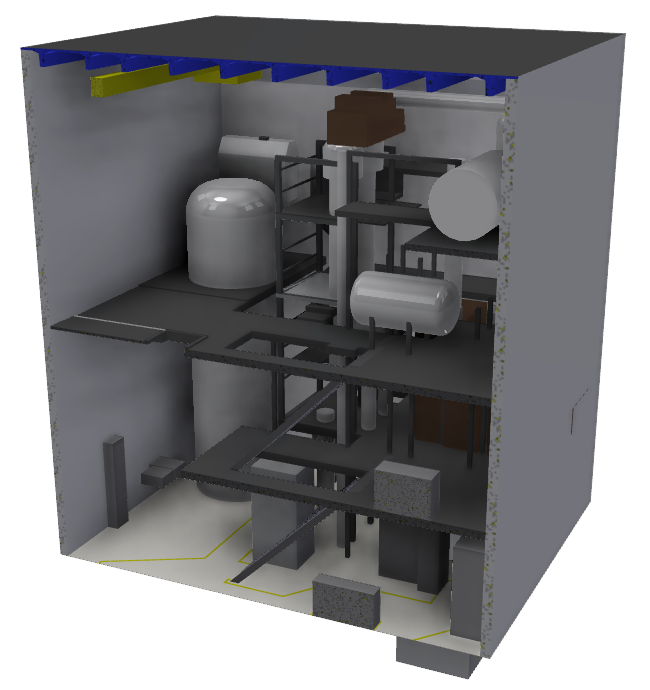
- Key geometry: buildings, columns, cranes, reserved spaces for large equipment, etc.
- Smaller details are excluded (e.g., stair railings, HVAC units, etc.)
- Provides design baseline data, spatial reservations, and basic visualization
Reference: PSK 3402 & 3403 (Inventory Model)
Level 2
Advanced As-Built
Inventory Model
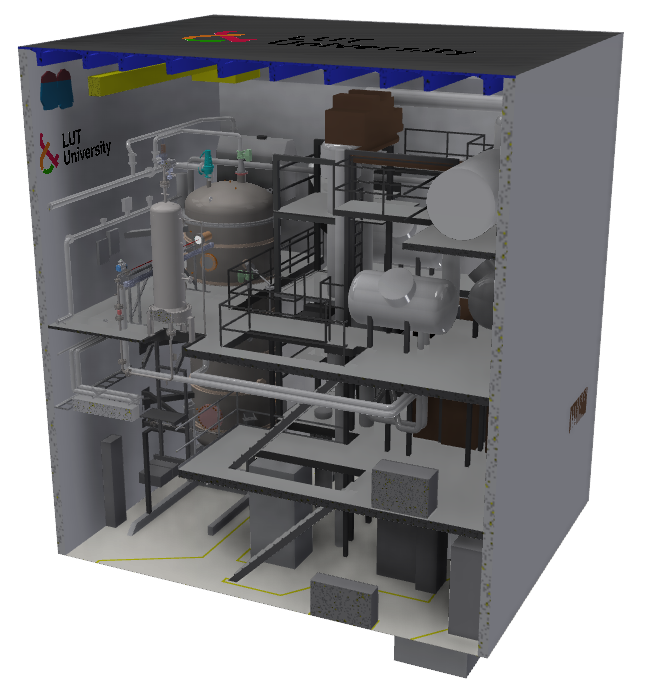
- More detailed geometry: e.g., stair railings, HVAC units, valves, etc.
- Suitable for precise modification design and clash detection
- Accuracy limits are defined separately on a case‑by‑case basis
Reference: PSK 3402 & 3403 (Inventory Model)

Reverse Engineering and Digital Twin
3D scanning makes it possible to quickly produce a highly accurate 3D model even of a geometrically complex part. When a physical object is digitally reconstructed, the process is called reverse engineeringThis serves several practical needs, such as:
- Manufacturing spare parts when the original manufacturer no longer supplies them
- Rapid duplication: the part is scanned, manufacturing drawings are created, and the piece can be produced in a machine shop or 3D‑printed—often within just a few day
- Cost savings: a part can be made in‑house at a fraction of the cost if the manufacturer’s spare parts are unreasonably expensive
👉 3D scanning and reverse engineering offer a fast and cost‑efficient way to extend equipment lifetime and ensure smooth production—even when spare parts are no longer readily available.
Read more in our customer story Case Rautaseiska - Reverse Engineering of a Spreader.
Quality control using 3D-scanning
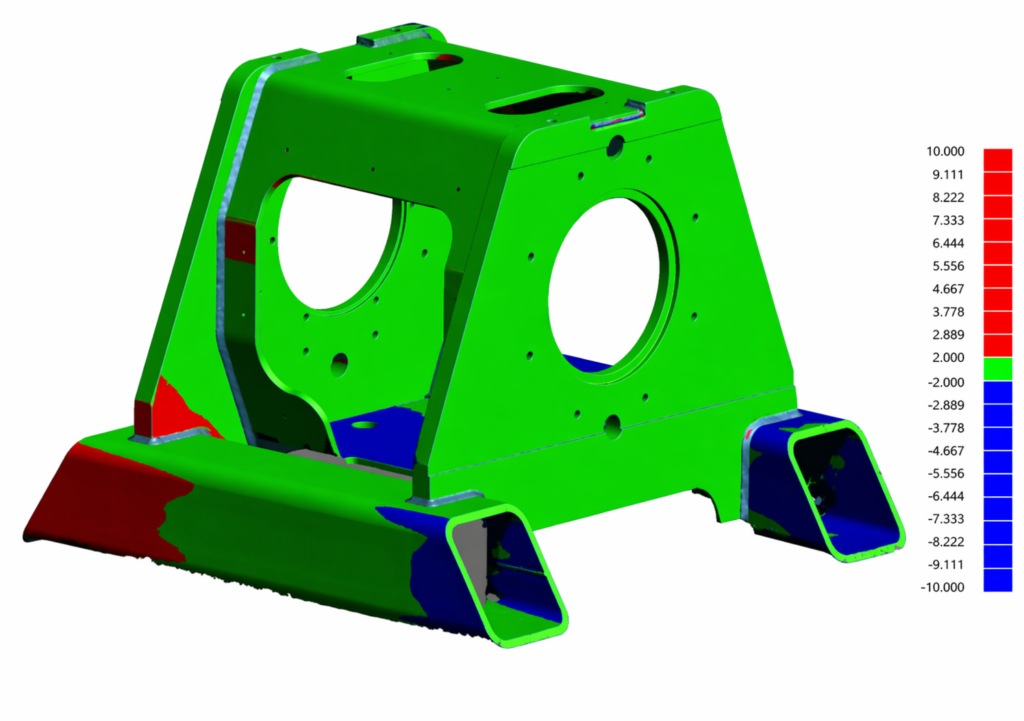
Quality assurance of manufactured parts and assemblies can be performed quickly using a handheld scanner. For example, a cast, welded or machined part or assembly is scanned, after which the accurate scanned surface model is compared against the ideal model, meaning the CAD model used as the basis for the manufacturing drawings. A colour map comparison provides fast and visual feedback, showing which surfaces are within tolerance and which are outside it. The accuracy of the scanned model can be as high as 0.04 mm. Compared with conventional 3D measuring equipment, 3D scanning is usually significantly more cost-effective and faster, can be carried out in field conditions, and covers all surfaces, whereas 3D measurement typically focuses on predefined individual measuring points.
👉 Read more about the Danfoss customer case.
Laser Scanning and 3D Scanning Equipment
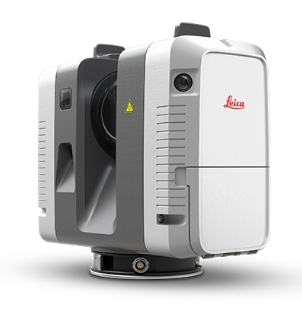


Leica RTC360
- Accuracy 1.9 mm, when distance is below 10 m
- Very fast scanning
- 360° photos
- Colored point clouds
Leica BLK360
- Accuracy 4.0 mm, when distance is below 10 m
- Medium-speed scanning
- Light and small
Creaform HandySCAN 307™ Elite
- Accuracy 0.04 mm
- Scanning of a small object in minutes
- Real-time evolving 3D model

Lauri Rauhala
3D scanning specialist
Ask for more information from our experts in 3D scanning related matters!
firstname.surname@mertalainnovations.fi
050 536 6726